DiabHQ Bolus Calculator Instructions for Setup and Use

Open the DiabHQ App
NB: The Bolus Calculator will only be visible on the home page when the use has ticked for “Can Access Bolus Calculator” in the Care Circle section of the App. For young children this may be the only feature of DiabHQ they need to view and use.
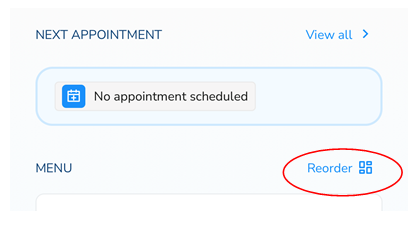
- Drag “Bolus Calculator” to the top of the Home Page menu using the Reorder option if it is at the bottom of the menu
2. Select Bolus Calculator
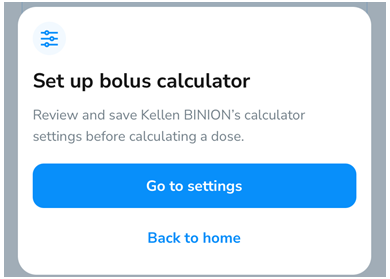
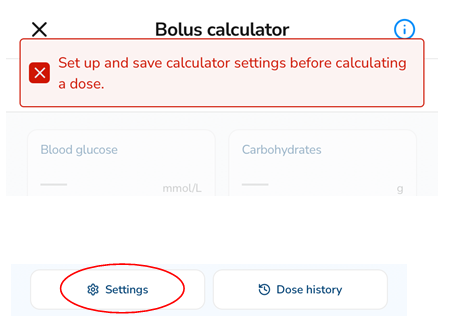
3. Set up - Go to Settings
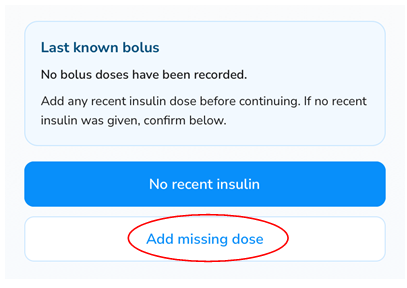
4. Add the last known bolus. Press "Add missing dose"
5. Scroll to the bottom and select SETTINGS
6. Review maximum bolus suggestion. Use your average meal dose multiplied by 1.5; for example, regular meal dose is 4 units. Set maximum bolus suggestions to 4 x 1.5 = 6 units.
7. Adjust the insulin-to-carb ratio provided by your team (or from your MyLife App) and adjust time blocks appropriate for each meal where rapid acting insulin is given. Then press DONE
8. Select correction factor provided by your team and adjust the time blocks as needed, press DONE.
Steps6-8
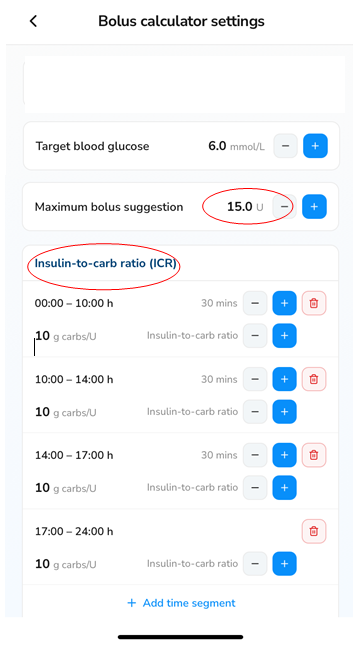
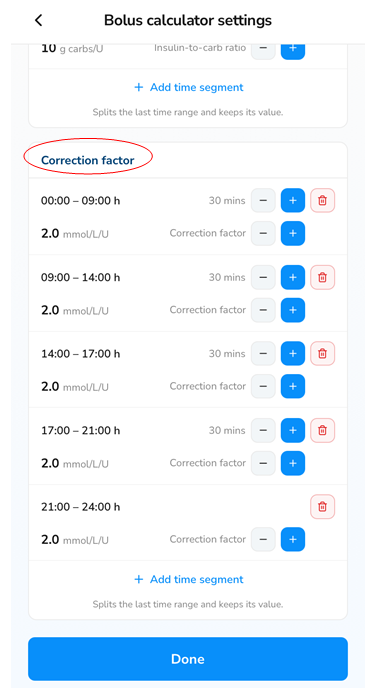
The Bolus Calculator is now set up and ready to use.
Calculate an insulin dose
- Check your last insulin dose time and date, log the last dose if it was not saved or enter into the bolus calculator when prompted.
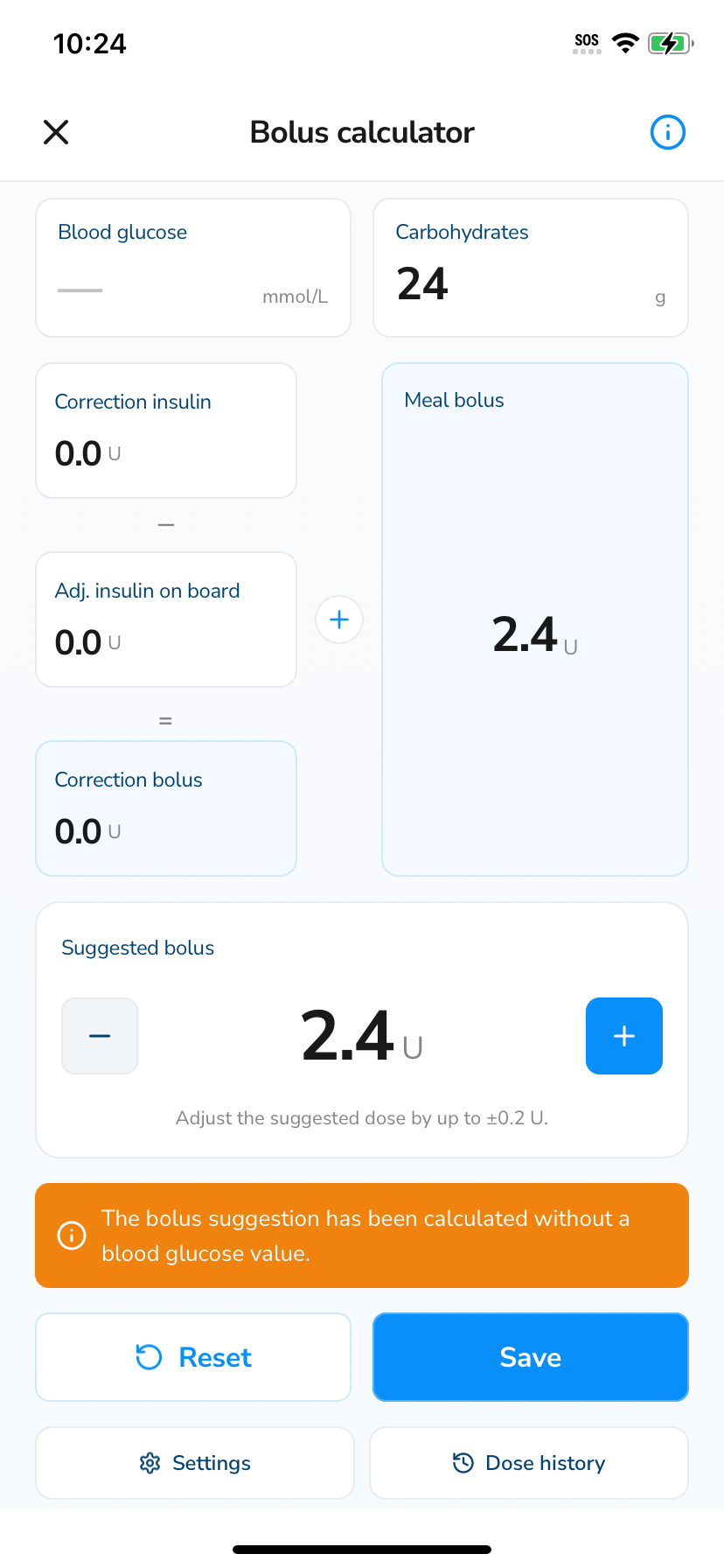
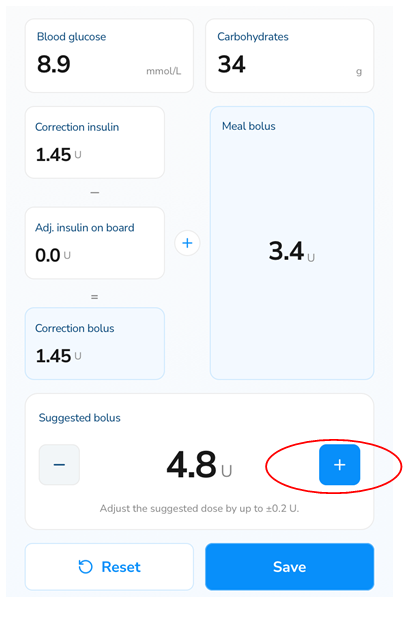
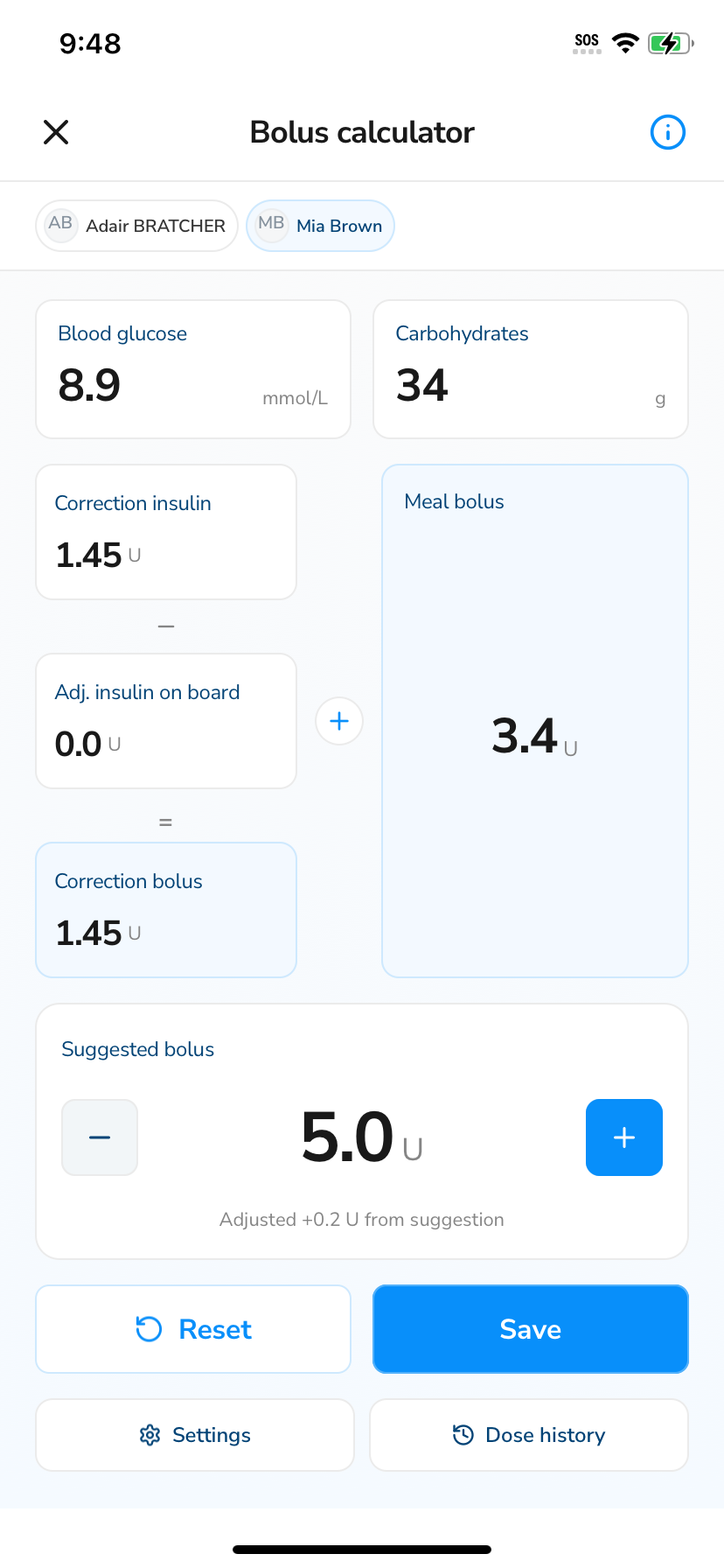
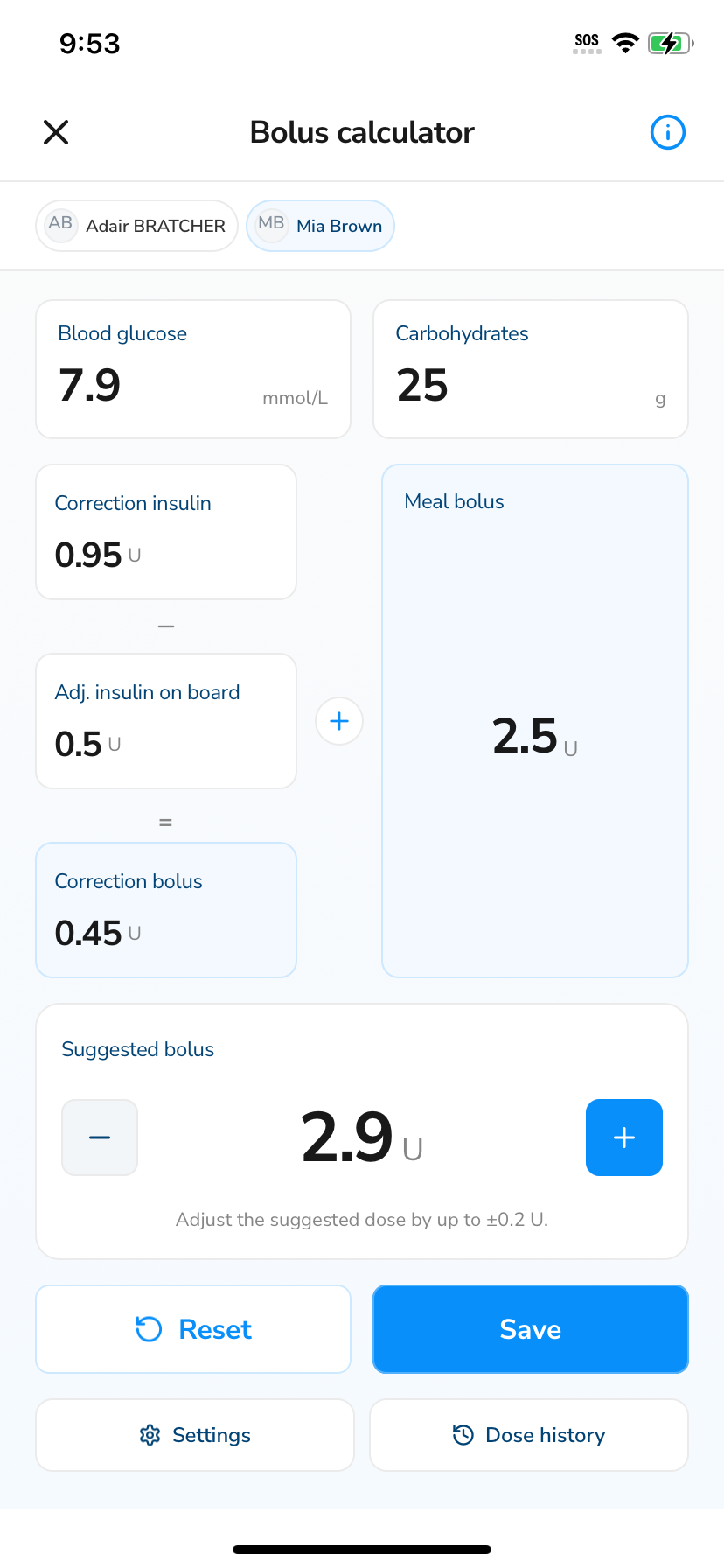
- Enter your sensor reading or blood glucose level and the carbohydrate content of your meal.
- The calculator will give a correction dose to bring your BGL back to target (if needed) and a dose for your carbohydrate intake.
- It will add these together to give a suggested dose; you will need to round this to the nearest whole or half unit. Press the – or + to adjust.
- Press ‘SAVE’
Calculate a correction dose only
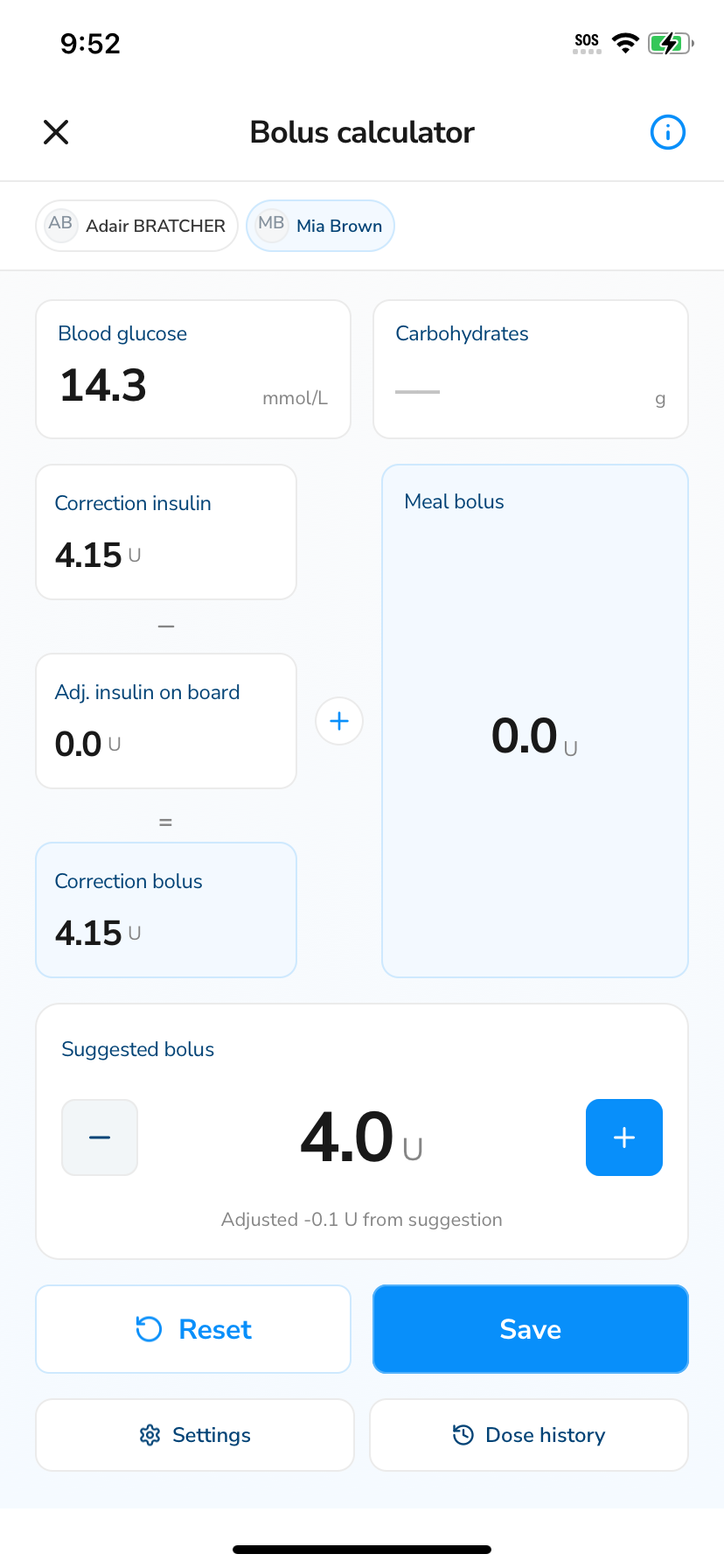
- You can give a correction dose if it has been more than 2 hours since the last correction or meal insulin.
- Enter the high BGL and leave the carbohydrates box empty.
Calculate a 2nd meal dose
- When it has been is less than 2 hours since last meal dose - only enter the carbohydrates and leave the blood glucose box blank.
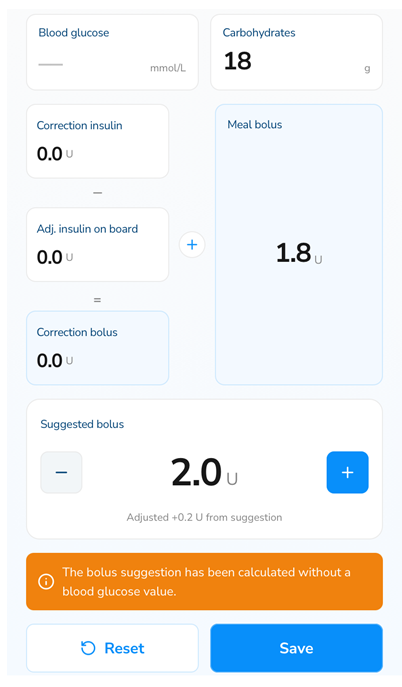
2. When it has been more than 2 hours since the last dose - enter the glucose and the carbohydrate amount
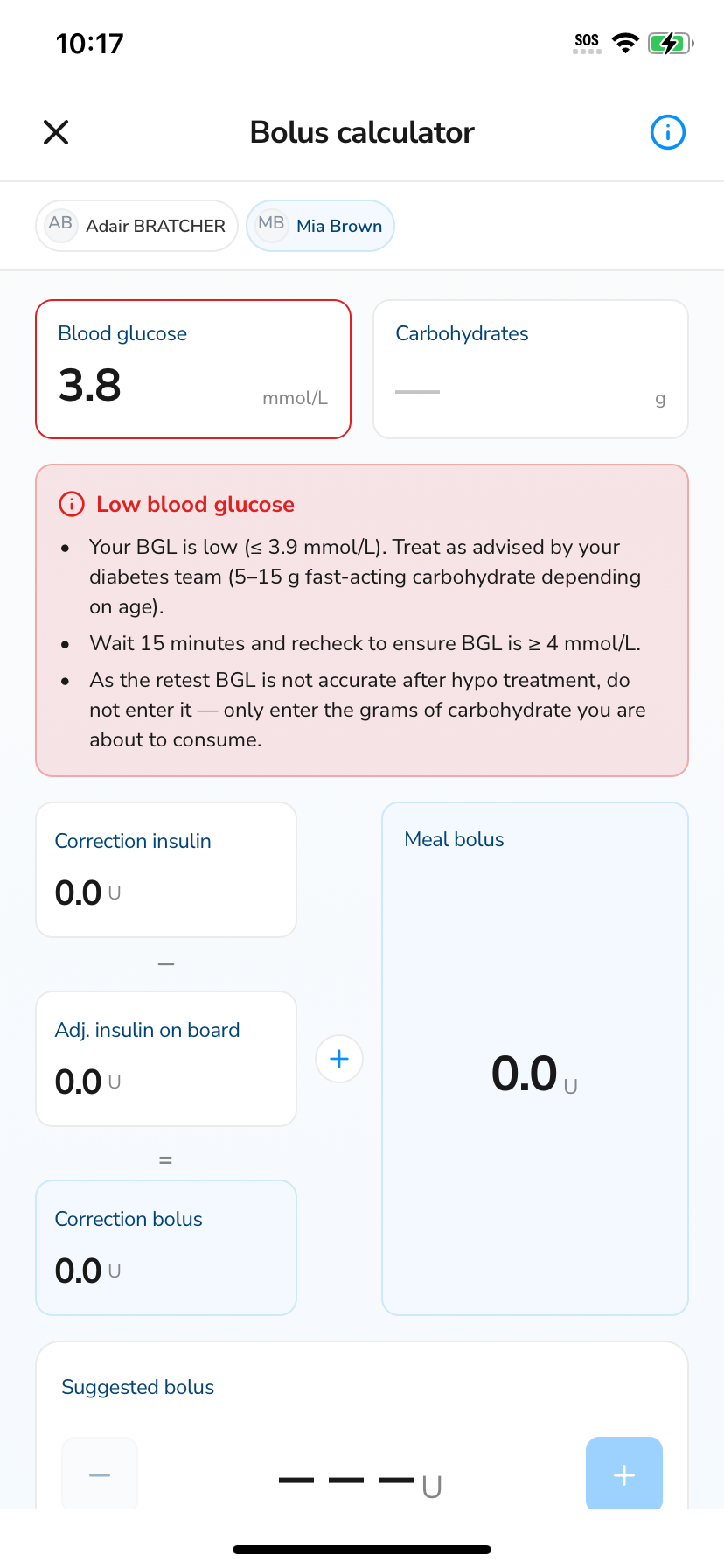
Using the Bolus Calculator when BGL < 3.9 mmol/L before mealtime
- If your BGL is low (≤ 3.9 mmol/L) before your meal, treat in the manner suggested by your diabetes team (5-15 g fast acting carbohydrates depending on your age).
- Wait 15 minutes and recheck to ensure BGLs are ≥4 mmol/L.
- As this new BGL is rapidly changing from the hypo treatment, do not enter the retest BGL into the app only enter the grams of carbohydrate you are about to consume.